A backup is only real when it restores
Build a Proxmox Backup Server, schedule nightly jobs and prove your backups can come back.

WRONGWORDS WEEKLY · 8 NOVEMBER 2026
A backup is only real when it restores
We all know we should make backups. The more useful question is: can we get anything back from them? This week I put that question to the test with Proxmox Backup Server.

Proxmox Backup Server: from blank VM to tested restore
In Friday’s video I install Proxmox Backup Server as a virtual machine, give it a separate datastore on mirrored disks, back up my Pi-hole VM and restore it under a new VM number.
- 32 GB for the server and a separate 600 GB datastore.
- Nightly guest backups, excluding the backup server itself.
- Retention, pruning and garbage collection to manage space.
- A real restore test, left switched off to avoid a duplicate IP address.
A mirror helps when one disk dies, but it is not another backup. Accidental deletion or a problem affecting the whole machine can still take both copies with it. Aim for several copies on different devices, with one somewhere else.
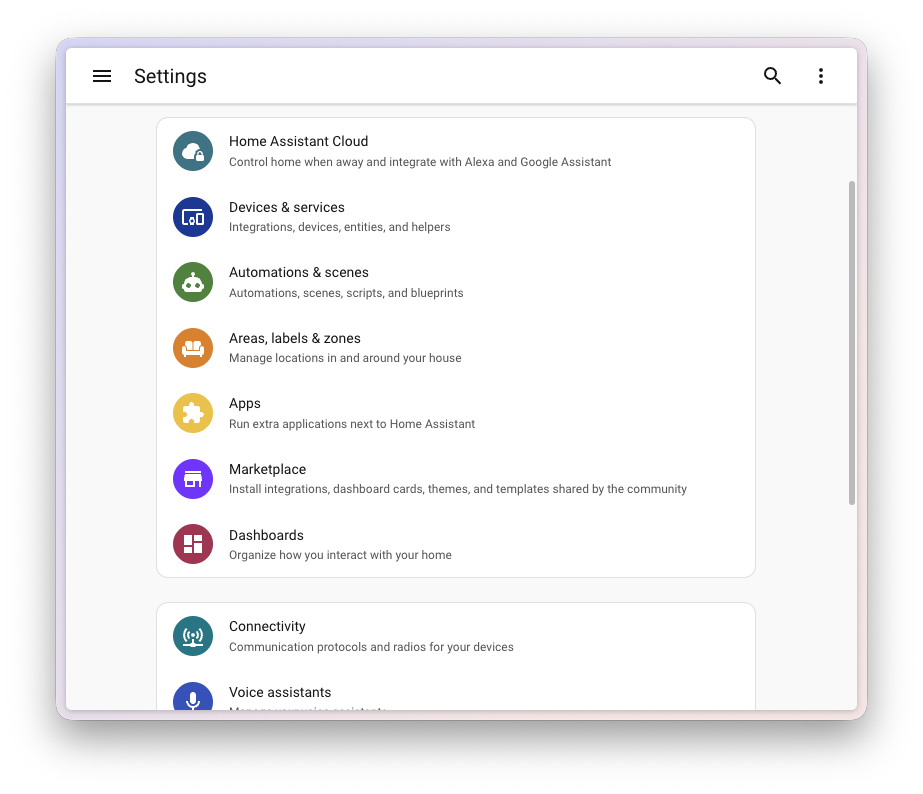
Home Assistant 2026.11: backups can use a local drive
Home Assistant can now use a formatted internal or USB drive for backups, media or shared files. Find it under Settings → System → Storage → Add storage.
The release also brings the built-in Marketplace, replacing HACS for community integrations, cards, themes and templates. Existing HACS installations are migrated, but community additions still run at your own risk—so back up before experimenting.
One thing to do this week
Restore one backup. For a virtual machine, use a different ID and leave it stopped or disconnected until its network settings are checked. A successful backup notification is comforting; a successful restore is evidence.
Until next week,
Martyn