
Every time I open an app, a device or Home Assistant, something seems to want an update. It is tempting either to press every button immediately or to ignore the lot. I prefer a simple middle ground: keep security fixes moving, and plan the changes that might interrupt the house.
Why update, and when?
Updates can close security holes, fix bugs, improve reliability and add useful features. Turn on automatic security updates for your PC and phone, and allow restarts when you can spare them. Treat a manufacturer warning about a security issue on a router, camera or internet-facing device as urgent.
For Home Assistant, integrations and firmware, choose a quiet time when you can check that everything still works. Before a bigger update, make a current backup that you can restore, read the release notes for breaking changes, and avoid changing every part of the system at once. Afterwards, check your critical automations, cameras and remote access. A new feature can wait for the weekend; a security patch usually should not wait for months.
Further reading: Home Assistant backup guidance · Home Assistant update guidance · CISA software update guidance
The smart dimmer that needed more room

I fitted a Repenic Zigbee dimmer while making the office smarter. The useful lesson is physical: a large smart dimmer and a shallow back box do not always get along. I show the spacer solution, then set it up with Zigbee2MQTT and Home Assistant. Check the space and wiring requirements before ordering a dimmer for your own switch.
Buying links: Repenic smart dimmer — use code WWO for 10% off. Back-box spacer used in the video.
Meet Valerie, the MONSGA MR7 Pro
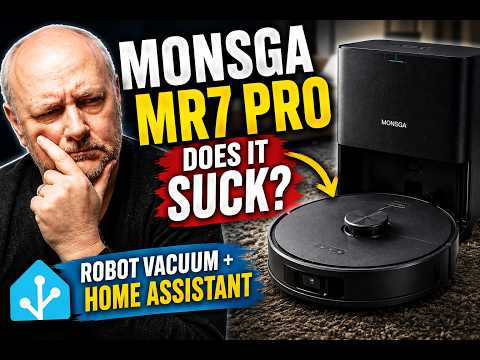
Meet Valerie, the MONSGA MR7 Pro. I put this roughly £200 robot vacuum through real cleaning and mopping, set up its LiDAR map and room divisions, then connect it to Home Assistant through Tuya Local. The question is whether the lower price still gets you a useful cleaner and worthwhile local automations.
Buying link: MONSGA MR7 Pro. No discount code is listed for this video.
What is the update you always put off? Leave a comment or reply to the email.
Some product links may be affiliate links. If you buy through one, WrongWords On Porpoise may receive a small commission at no extra cost to you.