In this Video – https://www.youtube.com/watch?v=1_CbmaaKa14&t=7s I show how to use Balen Etcher to create a USB bootable key Someone reported that it wasn’t working for them in Windows 11 (It worked fine for me!) So this is an alternative.

In this Video – https://www.youtube.com/watch?v=1_CbmaaKa14&t=7s I show how to use Balen Etcher to create a USB bootable key Someone reported that it wasn’t working for them in Windows 11 (It worked fine for me!) So this is an alternative.
I run through the protocols used and the types of Smart home devices What is Good and what is bad – and a few examples of where things can go wrong Not Much Ugly In the Video thou
Welcome to the ultimate DIY smart home solution – Home Assistant! In this video, we’ll dive into the world of home automation and explore how Home Assistant can integrate all your devices, creating a seamless and efficient smart home experience. With its impressive device compatibility, you can connect all your smart devices and control them from one convenient home dashboard. From energy management to home security, we’ll cover the top automation ideas and IoT solutions that will take your smart home to the next level. Whether you’re a seasoned DIY enthusiast or just starting out, this video will show you how to harness the power of Home Assistant to create a truly smart tech-enabled home. So, let’s get started and discover the endless possibilities of Home Assistant! Install Home Assistant – On a PC Setting up a PC to install home assistant, so you get a fast version of Home Assistant on a standalone PC The guide covers everything you need to get it installed Recommendations for Hardware are here –https://www.onporpoise.co.uk/?page_id=36
Backing up Home Assistant When Things go wrong, they will when you least need them to! You may need to restore the backup When you install updates, you should always tick the box to do backups But to be doubly sure – keep your own backups, too The Rule for Backups is Three, Two, One It’s best to keep Three – It was called Grandfather, Father, and Son, but now it will be Grandparent, Parent and biological offspring. Keep them in Two locations – Backup your Backup. this video takes the home assistant back that you created in () and backs it up to your computer You will need to know your IP address – see how here https://youtu.be/qybVGfcWMok
Setup a WiFi Tuya Bulb in the Tuya app and Home assistant You will need the Tuya app installed on your phone and the Tuya integration setup in Home assistant – Links to Videos Adding a Tuya Device and Installing the App on your phone https://youtu.be/32UkFJCD8_8 Installing home Assistant https://youtu.be/7b-IdhlwiW4
Adding A Smart Plug (Tasmota) to a network and connecting it to Home Assistant
To follow along you we will need Home assistant and an MQTT broker service installed https://www.youtube.com/watch?v=7b-IdhlwiW4
and https://youtu.be/r_7NcEOw4T8 Excuse the death rattle in my voice, a bad case of man flu – It’s Ok she who must be obeyed was looking after me
The Tasmota plug is one of these https://www.mylocalbytes.com/products/smart-plug-pm?variant=41600621510847
Install MQTT in Home Assistant – It is a service that is used by other parts of Home Assistant. Videos on Tasmota and zigbee2mqtt – coming soon
Install Tuya and not make it a mystery Install a sensor sensor using the Tuya app and add to Home assistant
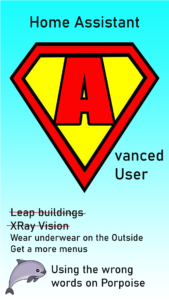
Leap Buildings in a single bound
Faster than a Locomotive
Wear your underwear on the outside
Get access to all home assistant menus – Watch here to find out how?
Give full functionality to your smarthome
Start your home assistant Virtual Machine Automatically
Start your virtual Machine Automatically
Advanced user
Switch on Advanced Mode in Home Assistant