How To Make Your Room React To You!

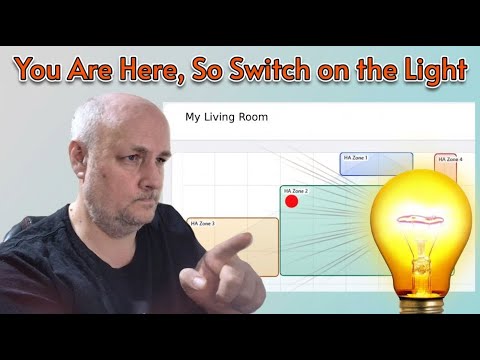
Learn how to set up the Everything Presence Lite sensor with Home Assistant — from unboxing to zone mapping and automation. This mmWave sensor tracks up to 3 people, defines up to 4 zones, and includes ambient light sensing for smarter automations.

In this video, I walk through the full setup,
enabling zones,
installing the add-on, and building logic to trigger lights based on presence and time of day.

✅ Buy the EPL sensor: https://shop.everythingsmart.io/products/everything-presence-lite
📘 EPL documentation: https://everythingsmarthome.github.io/everything-presence-lite/
📬 Join my mailing list for updates & bonus content: https://www.onporpoise.co.uk/keepintouch
What you’ll learn: Unboxing and powering the EPL sensor
Connecting via ESPHome and adding to Home Assistant
Enabling zones and visualizing presence
Using the EPL add-on to define zones visually
Creating automations based on zone occupancy
Adding conditions like “people home” and “light level”
Tips for handling pets and false triggers
Planning logic for multi-zone smart lighting

Read MoreHow To Make Your Room React To You!

Why Every Tech Fan Needs This Phone!

Check out the ultimate techy phone for the smart home enthusiast!
This phone is packed with features to control all your favorite smart home devices and make home assistant integration a breeze. S
ee how this new technology can become the brain of your smart home system, offering unparalleled automation and giving you access to all your favorite gadgets.
Discover the Ulefone Armor 29 Pro Thermal: the rugged 5G phone built for techies, smart home enthusiasts, and outdoor pros.

In this video I unbox the Armor 29 Pro Thermal,
walk through setup,
show the IR and thermal cameras in action,
test the battery and lights, and explain how it integrates with Home Assistant and IR control for your devices.

What you’ll see Quick unboxing and first impressions Screen protector, SIM tray, and accessories overview IR blaster and infrared night camera demo Thermal camera (ThermoVue T2) test and sample footage Battery life and the massive 21200mAh equivalent capacity with 120W fast charging Versatile 1000‑lumen LED light and emergency modes How the phone can be used with Home Assistant and remote control tasks
Final verdict: who the Armor 29 Pro Thermal is for
Buy the Armor 29 Pro Thermal on Amazon: https://amzn.to/4o1RrTb
Full specs from Ulefone: https://www.ulefone.com/products/armor-29-pro-thermal-version

Read MoreWhy Every Tech Fan Needs This Phone!

Easy Tasmota Xmas Lights Setup + Home Assistant — Alexa Control

Get your Christmas lights fully automated with Tasmota and Home Assistant — no crawling under the tree at 5pm ever again.

This step‑by‑step guide shows you how to flash/connect a Tasmota smart plug, secure the web admin,
set local timers, connect to MQTT, and expose the device to Alexa (or Google Home).
I also show a quick Home Assistant automation to switch the lights on at 17:00 and off at 23:00,
plus handy console backlog commands and an Excel helper that builds the commands for you.
What you’ll learn Quick Tasmota Wi‑Fi setup and find the device
IP Upgrade Tasmota firmware to the latest release
Set a web admin password for security
Create local Tasmota timers (on/off schedule)
Configure Tasmota for MQTT and Home Assistant discovery
Expose Tasmota to Alexa using Belkin/WeMo emulation
Useful console backlog commands (reset energy, change LED colour, restart)
Automations in Home Assistant to control your tree on a schedule
Sign up to get the Excel command generator and full backlog command list: https://www.onporpoise.co.uk/keepintouch
Downloadables & Resources Mailing list (Excel command generator and backlog commands): https://www.onporpoise.co.uk/keepintouch
Power Monitoring Smart Plug – Preflashed & Preconfigured

Read MoreEasy Tasmota Xmas Lights Setup + Home Assistant — Alexa Control

How I’d Start Over With Just £1000 in 2025! (Smart Home)

What would I do if I lost everything and had to rebuild my smart home from scratch in 2025—with just £1,000?

In this video, I walk you through exactly how I’d restart my Home Assistant setup from the ground up. From choosing the right Wi-Fi system to picking Zigbee over Matter, sourcing budget-friendly sensors, and building a rock-solid automation foundation—this is the ultimate guide for beginners and rebuilders alike.

💡 Whether you’re new to Home Assistant or planning a fresh start, this video covers: Best value Wi-Fi mesh systems (TP-Link Deco vs UniFi)

Choosing Zigbee over Matter in 2025 Budget-friendly smart sensors, dimmers, and presence detection

Replacing Ring with a DIY doorbell setup Smart speaker choices (Alexa, Google, or Home Assistant Voice?)

Full cost breakdown and setup strategy

📩 Join my mailing list for updates and resources: https://www.onporpoise.co.uk/keepintouch/ 👍 Like, subscribe, and hit the bell to stay updated on all things smart home!

Items from the Video TP-Link Deco BE25(3-pack) – https://amzn.to/480bPiR
SLZB-06 – https://bit.ly/47t3W5r
Zigbee 1 gang Dimmers – https://bit.ly/3XihJWo
Zigbee 2 gang Dimmers – https://bit.ly/4nDU9OF
Soil sensor – https://bit.ly/4oXGTph
Presence Sensor – https://bit.ly/4nGtQra
Temp Sensor – https://url.td/9tU5A

Read MoreHow I’d Start Over With Just £1000 in 2025! (Smart Home)

Zigbee2MQTT intro to never Lose A Zigbee Device Again

Struggling with Zigbee devices dropping off your network, failing to respond, or mysteriously vanishing from HomeAssistant?

This video is your ultimate guide to fixing flaky Zigbee setups using Zigbee2MQTT. From signal troubleshooting and device availability to network mapping and Home Assistant integration, we walk through every step to make your smarthome rock-solid.

✅ Learn how to: Diagnose and fix Zigbee signal issues (even through banana-thick walls!) Use Zigbee2MQTT’s new dashboard and network map to track device health Sort devices by availability, battery level, and link quality

Push last seen and link quality data into Home Assistant Create template helpers and badges for stale/working device counts

Automate alerts when devices go offline Apply common sense mesh strategies for better coverage

Whether you’re a Home Assistant pro or just getting started, this tutorial will help you build a resilient Zigbee mesh and keep your smart home humming.

Read MoreZigbee2MQTT intro to never Lose A Zigbee Device Again

Home Assistant + OpenAI: Setup, Voice Control & Pirate Mode (Yes, Really)

Ready to make your smart home smarter—and sassier? In this video,

I walk through how to integrate OpenAI with Home Assistant, from API key setup to voice assistant configuration. You’ll see how to expose entities, ask questions, control devices, and even make your assistant talk like a pirate (because why not?). Plus, I show how much it actually costs to run this setup—spoiler: it’s less than a penny.

🧠 Features: OpenAI API setup for Home Assistant

Voice assistant configuration & custom responses

Entity exposure for smart device control

Pirate voice mode & fun prompts

Real usage cost breakdown

Read MoreHome Assistant + OpenAI: Setup, Voice Control & Pirate Mode (Yes, Really)

AWS Outage Exposed Every Cloud Smart Home’s Weakness

On Monday, AWS had a major DNS outage that knocked out smart devices across the globe — but not mine. In this video, I explain how my smart home stayed functional thanks to HomeAssistant, local automations, and a healthy dose of Alexa skepticism (AlexaDown) From smart beds overheating to locks failing, the outage exposed the fragility of cloud-dependent setups. I walk through what worked, what didn’t, and why going local is the future of resilient home automation.

🧠 Featuring: – Real-world impact of AWS DNS failure

– Smart home fails (and wins) – Home Assistant voice preview
– Cloud vs local automations – Why Alexa didn’t ruin my evening
🔧 Tools mentioned: Home Assistant, Cloudflare, Alexa, Ring, Namukasu
👍 Like, subscribe, and share if you believe smart homes should be smarter — even when the cloud isn’t.

Read MoreAWS Outage Exposed Every Cloud Smart Home’s Weakness

Where did Matter Smart Bulbs come from?

I wasn’t sure what to film today… and then it hit me like a Zigbee packet to the face. Let’s talk about Matter bulbs — what they are, how they’re different from your average WiFiBulbs / smart bulbs, and why the big tech companies had a slightly awkward group chat that led to Matter being born. (and how it works in Home Assistant) In this video, I’ll take you on a quick time-travel trip through smart home history, explain what Matter is (and isn’t), and then walk you through setting up a Matter over WiFi bulb in Home Assistant.

Spoiler: it involves QR codes, Alexa, and me accidentally picking pink again like every automation should If you’re into smart home stuff, Home Assistant, or just enjoy watching someone mildly struggle with tech so you don’t have to — you’re in the right place.

Read MoreWhere did Matter Smart Bulbs come from?

How to put AI into Home Assistant, without the tears

Ever screamed at your smarthome and wondered why it’s dumber than your toaster? This video flips the script—turning HomeAssistant from a rule-based rage machine into a conversational AI that actually gets you. We dive deep into intent recognition, Ollama model integration (LocalAI), and how to make your automation’s feel less like rigid scripts and more like thoughtful responses. Tech saves the day! As Normal it goes a bit wrong but I save the day

🔧 What you’ll learn: How to wire up Home Assistant with local LLMs (like Mistral or Phi)

Crafting playful, natural-language automations (yes, even for bin day)

Why your GPU might be the real villain—and how to tame it

Whether you’re a seasoned automator or just tired of yelling “turn on the lights” like a caveman, this guide will help you build a smarter, sassier home.

Read MoreHow to put AI into Home Assistant, without the tears

Creating Your Dream Home Assistant Dashboard

Ever wondered if you really need a wall-mounted dashboard for your smart home? In this video, I dive into the world of Home Assistant dashboards—from the basics of wall setups to lazy ways of creating powerful dashboards with just a few clicks. Whether you’re planning a sleek touch-sensitive display or just exploring experimental layouts like “Area” and “Home,” this video breaks it down with humor, honesty, and practical advice.

👀 What you’ll see: – Do you even need a dashboard? – Choosing the right device and screen size – Creative placement ideas (yes, even behind a mirror) – My personal dashboard setup with sensors, cameras, and media players – Exploring new default dashboards in Home Assistant – Sneak peek at my future touch-screen build

👍 Like, subscribe, and hit the bell so you don’t miss part two—where I build the ultimate wall dashboard!

Read MoreCreating Your Dream Home Assistant Dashboard